Opencloud DaaS Licensing
Upon completion of your Opencloud DaaS order, you should be able to log in to your session manager, (https://session-manager-ip/ovd/admin) and your license should be activated. In the event that you receive an error regarding the license status, please do the following:
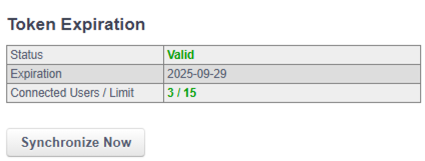
- Navigate to System > Subscription Plan
-
If it states that a valid license is not applied, click "Synchronize Now".
-
Your license should activate. If not, please contact the Technical Operations Center ([email protected]) and provide the Subscription ID from the Subscription Plan page.